
Warehouse Management Software
A lot happens behind the scenes — we'd rather call the interface intuitive than simple.
You asked
"Which bins haven't been touched this month?"
ScanMan AI
14 bins — mostly Aisle C, high-value SKUs.
Flagged for priority stocktake.
AI
ScanMan understands plain English. Ask a question about your stock — "which bins haven't been touched this month?", "what's tied up in slow-moving stock?" — and get a governed answer with the key figures and unusual patterns already flagged, not a raw export you have to interpret yourself.
ScanMan is built, developed and managed by humans — with over 20 years' experience in inventory management and warehouses large and small. We use AI in our own development and testing, which lets us respond rapidly to new requirements and customise the system around you.
Intuitive
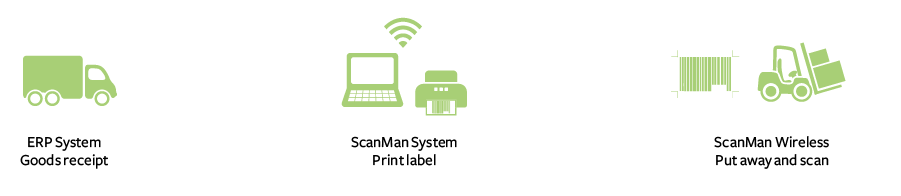
Capture goods after receiving them into your ERP — ScanMan can extract the data straight from your SQL database — and it automatically prints a label with a barcode. Scan the barcode and the bin location when you put it away.
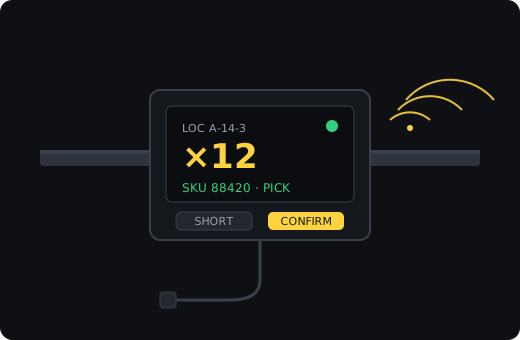
Move a box or pick from it? Scan it and tell ScanMan about the adjustment. Issue it out of the warehouse and the box is archived. That's it — and because it runs quickly, those few operations save you many man-hours.
Label printing
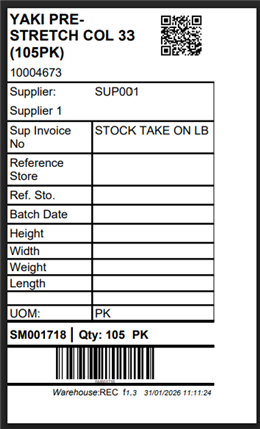
ScanMan prints its own barcode labels — big and detailed, or small and minimal — with whatever fields your stock actually needs: supplier, batch date, weight, dimensions, quantity, UOM. Labels are optimised for thermal printers like Zebra, so they print fast and stay legible on a warehouse floor.
✨ Unique: scan a QR code, see the stock — on any phone
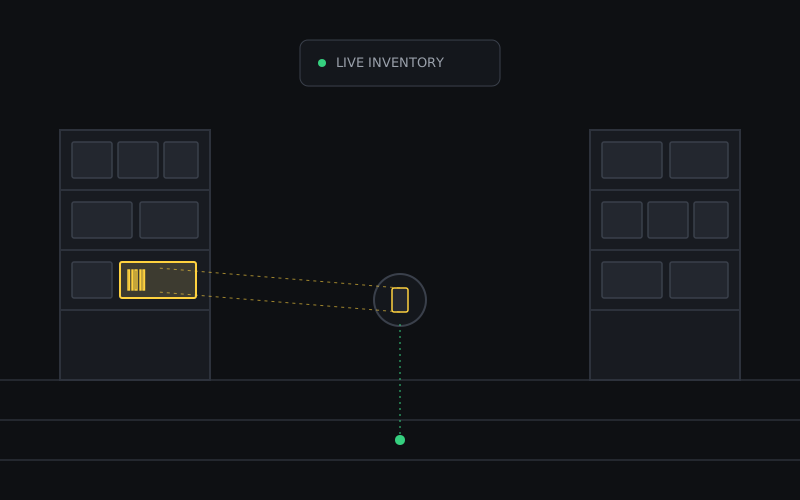
Every label can carry a QR code for instant, mobile inventory visibility. Any authorised user scans it with the standard camera on an iPhone or Android phone — no app to install, nothing to log into — and lands straight on that item's page in ScanMan, showing its live quantity, location, batch and history. It puts real-time stock visibility in every pocket on the floor.


ScanMan costs less than half of comparable warehouse-management systems — the capability of a big platform without the enterprise price tag.

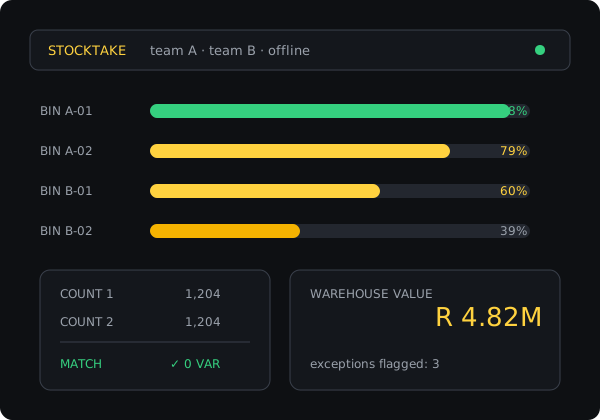
Analyse the progress and accuracy of your stocktake: Bins Not Touched, Warehouse Value, Warehouse Value Exception, and Still-to-Scan. The live financial report lets you direct effort at high-value items first.
Physical inventory
The stocktake feature is ScanMan's headline. Refined over seven years in the motor industry — by developers who run stocktakes themselves — it's built to collapse a multi-day count into a few hours.
Easy integration
ERP systems have historically done a mediocre job of warehouse management: too rigid or too simplistic, with clumsy interfaces. ScanMan fills that gap, working autonomously and exchanging information with your ERP only when needed.
It's ideal where FIFO principles should be followed but not rigidly enforced. ScanMan doesn't depend on any ERP, but can optionally integrate with yours.

Container unpacking
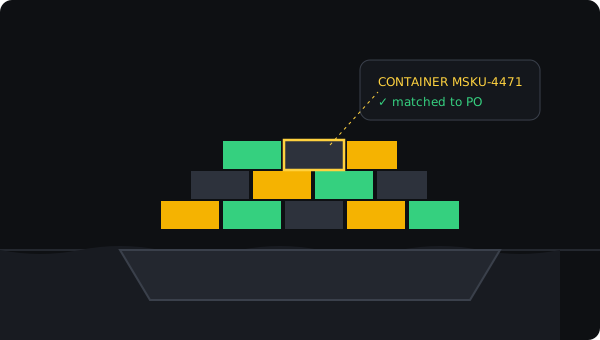
Containers arrive with thousands of items and plenty of room for error. ScanMan turns unpacking into a guided, verifiable process — pallet by pallet — so what you booked in matches what you paid for.
The process

Shipping notice loaded ahead of time means the container is checked against your order the moment it opens.

Capture serial numbers on the items that require them, without slowing the rest of the count.
Live data, Excel exports and a clean feed into your accounting system — no re-keying.
Nested serials
A pallet is a serial in its own right, built up from multiple serialised items underneath it — all one SKU, or freely mixed SKUs on the same pallet. ScanMan keeps the full parent/child hierarchy: drill down from a pallet to every serial it holds, or up from any serial to the pallet it travelled in.
Break a pallet down into boxes — during container unpacking, put-away or picking — and ScanMan records the lineage. Every box knows which pallet it came from, so you can trace a box, carton or item back through its full pallet history for recalls, warranty claims and stock investigations.

An audit log gives full traceability. Everyone logs in — automatic login for domain users, or username and password for scanner users — and any change is recorded against every box's history. Per-user permissions keep your data secure.
Book a walkthrough with the people who build and run it.